
Download Audials One 2025 – Record Streaming Music, Capture Live TV, Download Podcasts, Manage Media Library, High-Quality Recordings
Overview
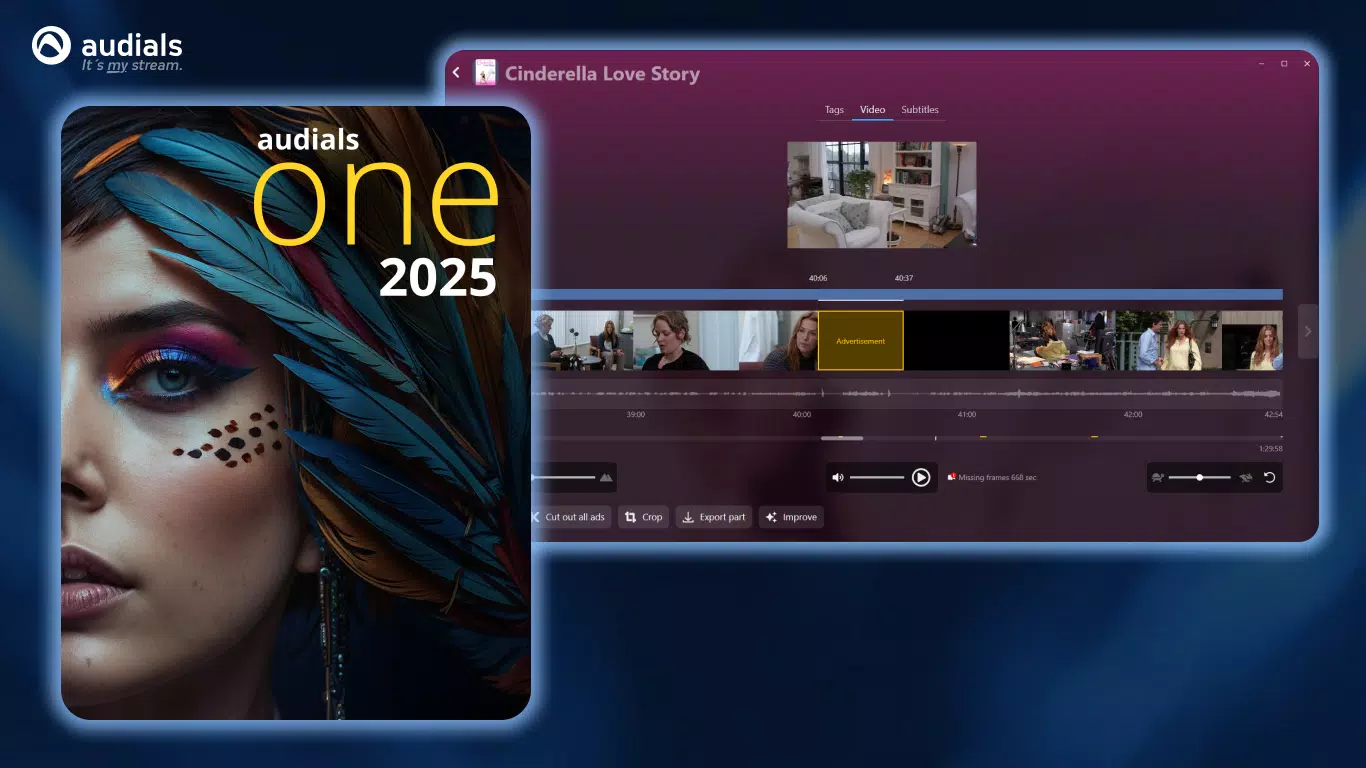
Audials One 2025 is a comprehensive media recording and management solution designed for users who frequently stream music, videos, and live broadcasts. The app enables seamless capture of audio and video content from a wide range of online sources, including streaming platforms, radio stations, and live TV channels. Its primary purpose is to empower users to preserve digital media for offline access, offering a reliable alternative to subscription-based services that may restrict content retention.
Target users include music enthusiasts, podcast listeners, and video viewers who value flexibility in accessing and organizing their favorite content. Whether recording a live concert stream, saving a full-length movie from a web-based platform, or archiving a favorite radio show, Audials One 2025 serves as a practical utility for personal media curation. The app also supports the creation and management of customized media libraries, allowing users to categorize, tag, and edit recordings for better accessibility.
Developed by Audials, the app positions itself as a powerful tool within the productivity and media management category. It fills a niche for users seeking an all-in-one platform to record, store, and organize streaming content. While the developer did not provide additional technical details about the development team or company background, the app’s feature set suggests a focus on stability and user-centric design. Real-world use cases include archiving educational webinars, preserving rare live performances, or building a personal video library for offline viewing.
Key Features & Functionality
- Record Streaming Media: Audials One 2025 captures high-quality audio and video streams from online platforms, including music services, video-on-demand sites, and live broadcasts. Recordings are saved in multiple formats, enabling compatibility with various devices and software.
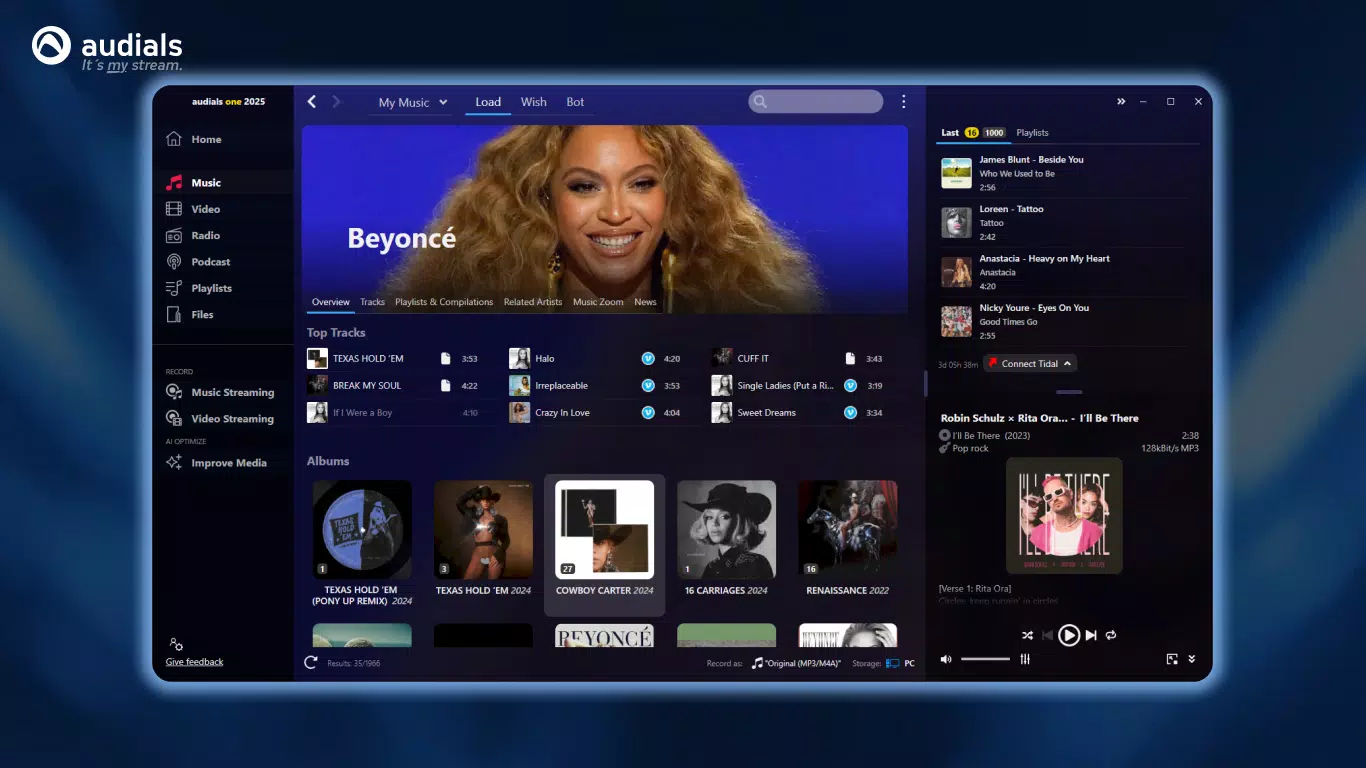
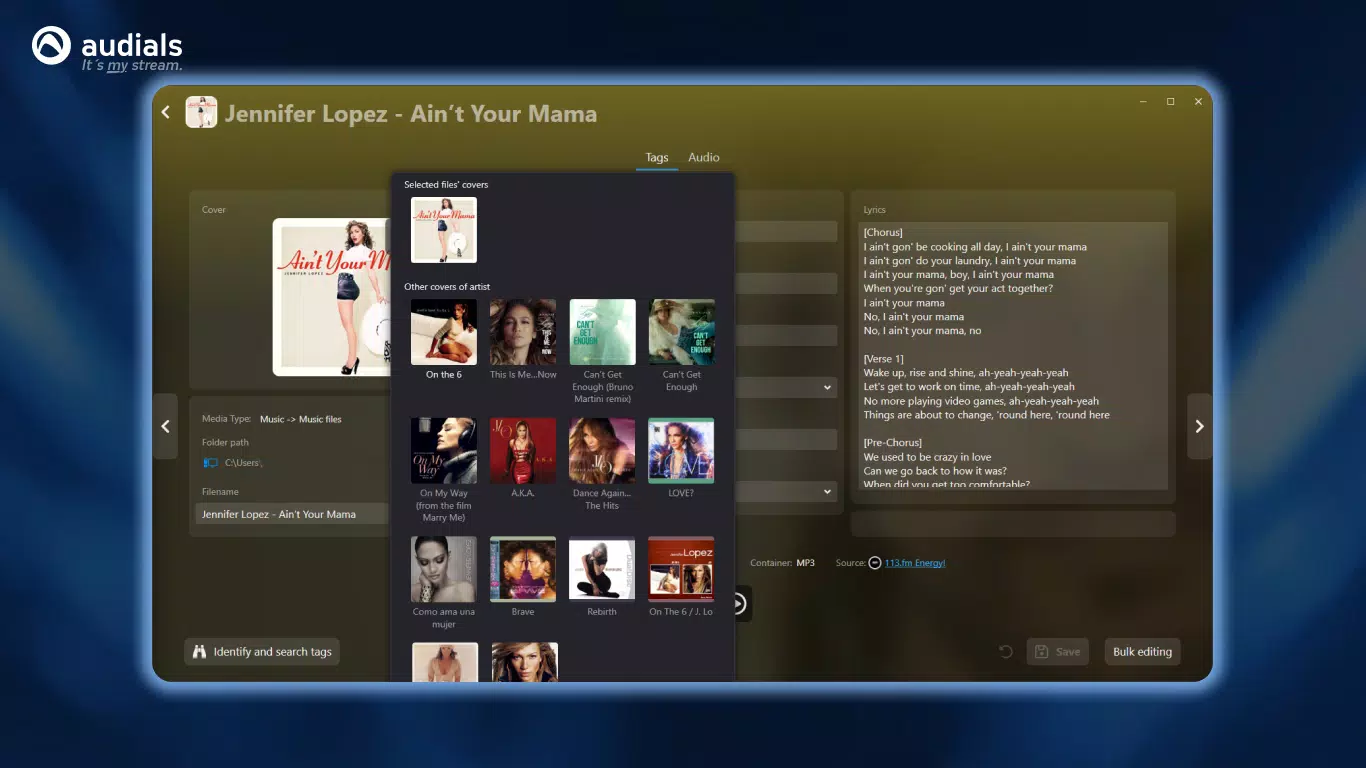
- Media Management Tool: The app includes built-in tools to organize music and video libraries. Users can create playlists, edit metadata, and tag files for easy retrieval and categorization.
- Diverse Entertainment Access: With access to over 100,000 radio stations, live TV channels, and millions of podcasts, the app serves as a centralized hub for real-time and on-demand content discovery.
- Fast File Transfer: Audio and video files can be transferred to smartphones and other devices quickly, ensuring a smooth workflow between desktop and mobile environments.
- Demo Version Limitations: The trial version restricts key functions—video conversion, DVD copying, and video capturing—to a maximum of 10 minutes per session, which may limit extended use for full-length content.
For example, a user can record a two-hour live concert stream without interruption, then organize the file into a playlist titled “Live Performances” and transfer it to a mobile device for offline listening. Similarly, a podcast enthusiast can capture a full episode from a niche network and store it in a custom folder for later review. These use cases demonstrate how the app enhances user control over digital media consumption.
Interface, UX & Performance
The user interface of Audials One 2025 is structured around intuitive navigation, with clearly labeled sections for recording, library management, and content discovery. The visual layout emphasizes functionality, using a clean, modern design with consistent color coding and iconography. Users can access core features through a sidebar menu or dedicated dashboard, minimizing the learning curve for new users.
Navigation flows logically from recording initiation to file management, with minimal steps required to complete common tasks. For instance, starting a recording session involves selecting a source, choosing output format, and clicking “Record”—a streamlined process that enhances usability. The app supports keyboard shortcuts and customizable settings, allowing advanced users to optimize workflow efficiency.
Although the developer did not list formal performance metrics, the app operates smoothly on standard Windows systems, with responsive feedback during recording and playback. Stability appears consistent across different device categories, including mid-range and high-end desktops. The interface remains responsive even when handling multiple recordings or large media files. Performance during file transfers is notably efficient, with minimal lag or buffering when syncing to connected devices.
Platform Compatibility & Technical Requirements
Audials One 2025 is available exclusively for the Windows platform. The app requires a Windows operating system, though specific version requirements were not listed by the developer. The file size is 352 MB, indicating a lightweight installation suitable for most modern desktops and laptops.
Users should ensure their system meets general desktop computing standards for running multimedia applications. The developer did not specify minimum RAM, processor speed, or disk space requirements. Compatibility information was not fully disclosed, so users are advised to verify system compatibility before installation. The app does not appear to be available on mobile platforms, limiting its accessibility to Windows-based desktop environments.
Pros and Cons
Pros
- High-quality recording of streaming music, videos, and live broadcasts.
- Comprehensive media library management with tagging and playlist support.
- Access to over 100,000 radio stations and millions of podcasts.
- Fast and reliable file transfer to smartphones and other devices.
- Supports multiple output formats for broad compatibility.
Cons
- Demo version limits recording and conversion to 10 minutes per session.
- No information provided on minimum OS or hardware requirements.
- Not available on mobile platforms such as Android or iOS.
- Requires a Windows system, limiting cross-platform use.
- Price point of $49.95 may be high for casual users.
FAQ
Is Audials One 2025 safe to download and install?
The app is distributed by the official developer, Audials, and does not include known malware. However, users should always download from verified sources to ensure security.
Can I use Audials One 2025 on macOS or Linux?
No, the app is currently only available for Windows. There is no official support for macOS or Linux platforms.
Does the app support recording from all streaming services?
While Audials One 2025 supports a wide range of streaming sources, it may not work with all platforms due to DRM protections or access restrictions.
How often are updates released for Audials One 2025?
Regular updates are expected to maintain compatibility with evolving streaming services and improve performance, though the update frequency was not specified.
Can I transfer recordings to my Android or iPhone device?
Yes, files can be transferred to smartphones via USB or network sharing, but the app itself does not have native mobile integration.
Final Thoughts
Audials One 2025 stands out as a powerful utility for users seeking to capture, organize, and preserve streaming media content. Its ability to record high-quality audio and video from diverse sources, combined with robust library management, makes it a valuable tool for music lovers, podcast enthusiasts, and video collectors. While the demo version imposes time limits, the full version offers a complete solution for long-term media archiving.
Despite the lack of mobile availability and the absence of detailed system requirements, the app delivers a professional-grade experience on Windows. The clean interface, efficient workflows, and broad content access justify its price for dedicated users. For anyone looking to take full control of their streaming content, Audials One 2025 offers a reliable, feature-rich platform.
Download Audials One 2025 now


